How to File GSTR-1 in 2026 — Complete Guide with Examples
By Parul Singh, GST Practitioner · GST Returns · Updated June 2026
Table of Contents
Advertisement
Who Must File GSTR-1?
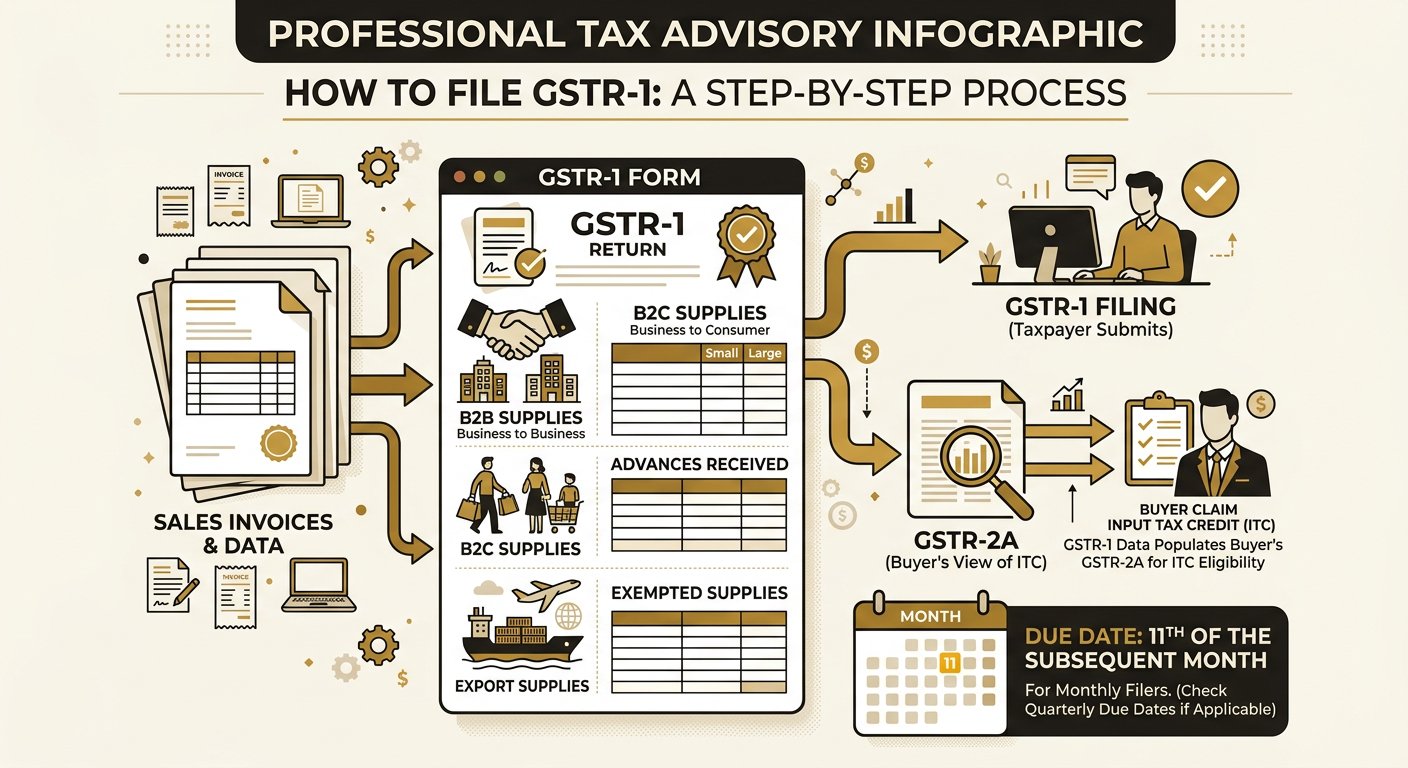
Every month, my team files 200+ GSTR-1 returns for businesses across Delhi. The most common error I see is wrong GSTINs -- even one wrong digit means your buyer cannot claim ITC. GSTR-1 is the return for reporting all outward supplies (sales) made during a tax period.
Official Reference: Section 37 of the CGST Act 2017 requires every registered taxpayer (other than composition scheme holders, input service distributors, and non-resident taxpayers) to furnish GSTR-1. Rule 59 of CGST Rules 2017 provides the detailed form and procedure.
All regular registered taxpayers must file GSTR-1, including:
- Manufacturers, traders, and service providers with regular registration
- E-commerce operators collecting TCS under Section 52
- Persons deducting TDS under Section 51
Exempt from GSTR-1: Composition scheme taxpayers (file CMP-08 instead), Input Service Distributors, Non-resident taxable persons.
📍 Real Example -- Delhi Trading Business
A garments trader in Gandhi Nagar, Delhi, with ₹2 crore annual turnover, must file GSTR-1 monthly by the 11th. He has 45 B2B invoices and 120 B2C invoices each month. Using the offline utility, he uploads all invoices in bulk, generates the summary, and files in under 30 minutes.
GSTR-1 Due Dates
| Taxpayer Type | Frequency | Due Date |
|---|---|---|
| Regular (turnover > ₹5 crore) | Monthly | 11th of next month |
| QRMP scheme (turnover ≤ ₹5 crore) | Quarterly | 13th of month after quarter |
⚠️ Common Mistake: Late filing of GSTR-1 attracts a late fee of ₹50 per day (₹20 for nil returns). If you file 30 days late on a return with tax liability, that is ₹1,500 in just late fees. I have seen businesses accumulate ₹25,000+ in late fees across multiple periods.
GSTR-1 Tables Explained
GSTR-1 has multiple tables, and each serves a specific purpose. Here is what goes where:
| Table | Description | Key Details |
|---|---|---|
| 1 | B2B Invoices | GSTIN of buyer, invoice-wise details |
| 2 | B2C Large (inter-state) | Invoices ≥ ₹2.5 lakh, inter-state |
| 3 | B2C Small | Consolidated inter-state < ₹2.5L |
| 4 | Credit/Debit Notes | Linked to original invoices |
| 5 | Nil-rated & exempt | Summary of nil-rated supplies |
| 6 | Exports | With/without payment of tax |
| 7 | Advance received | For services not yet invoiced |
| 9-11 | Amendments | Corrections to earlier periods |
Official Reference: Rule 59(1) of CGST Rules specifies the contents of GSTR-1. The GSTN portal auto-populates GSTR-2A of the recipient based on GSTR-1 data filed by the supplier, which is then used for ITC matching under Section 16(2)(c).
Step-by-Step Filing Process
- Login to gst.gov.in with your credentials
- Navigate to Services → Returns → Returns Dashboard
- Select the financial year and return filing period
- Click "Prepare Online" or use the Offline Utility Tool
- Fill in all applicable tables or upload JSON file
- Verify all entries -- compare with your sales register
- Click "Generate GSTR-1 Summary"
- Review summary and click "Submit"
- File using DSC or EVC (Aadhaar OTP)
📍 Real Example -- Okhla Manufacturer Filing
An auto parts manufacturer in Okhla files monthly GSTR-1. His process: (1) Export sales register from Tally as JSON, (2) Upload to GST offline utility, (3) Validate for errors, (4) Upload to portal, (5) Generate summary, (6) Reconcile with books, (7) File with DSC. Total time: 45 minutes for 80+ invoices. Before using the offline tool, it took him 3 hours manually.
💡 Pro Tip from Parul: Always use the GST Offline Utility Tool for bulk uploads. It validates data before uploading, catches GSTIN errors, and saves hours of manual entry. Download it from gst.gov.in → Downloads → Offline Tools.
Common GSTR-1 Errors
- Wrong GSTIN of buyer -- most common error; ITC blocked for recipient
- Incorrect HSN/SAC codes -- leads to wrong tax rate in system
- Missing credit/debit notes -- must be reported in same or subsequent period
- Not reporting advances -- advance received for services must be reported in Table 7
- Wrong place of supply -- critical for IGST vs CGST+SGST determination
⚠️ Common Mistake: The most expensive mistake in GSTR-1: entering a wrong GSTIN for B2B invoices. If you enter 07AABCU9603R1ZM instead of 07AABCU9603R1ZN (last character wrong), your buyer's ITC claim will fail. Always verify GSTINs using the 'Search Taxpayer' feature on gst.gov.in before entering.
💡 Pro Tip from Parul: Need help with monthly GSTR-1 filing? I handle return filing for 200+ businesses across Delhi starting at ₹1,499/month. Never miss a deadline again. Call/WhatsApp: +91 95401 04776
Advertisement
Frequently Asked Questions
What happens if I file GSTR-1 late?
Late filing attracts ₹50/day (₹20 for nil returns) as late fee under Section 47. Additionally, since GSTR-1 data auto-populates GSTR-2A, your buyers cannot claim ITC until you file. This can strain business relationships.
Can I revise GSTR-1 after filing?
There is no revision facility for GSTR-1. However, you can make amendments in the subsequent period's GSTR-1 using Tables 9-11. The amendments will reflect in the recipient's GSTR-2A for the original period.
What is the QRMP scheme for GSTR-1?
Taxpayers with turnover up to ₹5 crore can opt for Quarterly Return filing with Monthly Payment (QRMP). They file GSTR-1 quarterly but pay tax monthly via GSTR-3B. Invoice uploading (IFF) is available for first two months of each quarter to enable ITC for buyers.
Advertisement